
Raindrop.io vs Mailist: Which Bookmark Manager Is Right for You?

Raindrop.io and Mailist are both bookmark managers, but they solve fundamentally different problems. Choosing between them isn't about which one is "better" — it's about understanding what you actually need.
Raindrop.io is a visual bookmark organizer. It's built for people who save a lot of content and need a powerful system to categorize, search, and manage it all.
Mailist is a read-later tool with a built-in reminder system. It's built for people who save content but struggle to actually go back and read it.
Different problems, different solutions. Let's break down the comparison.
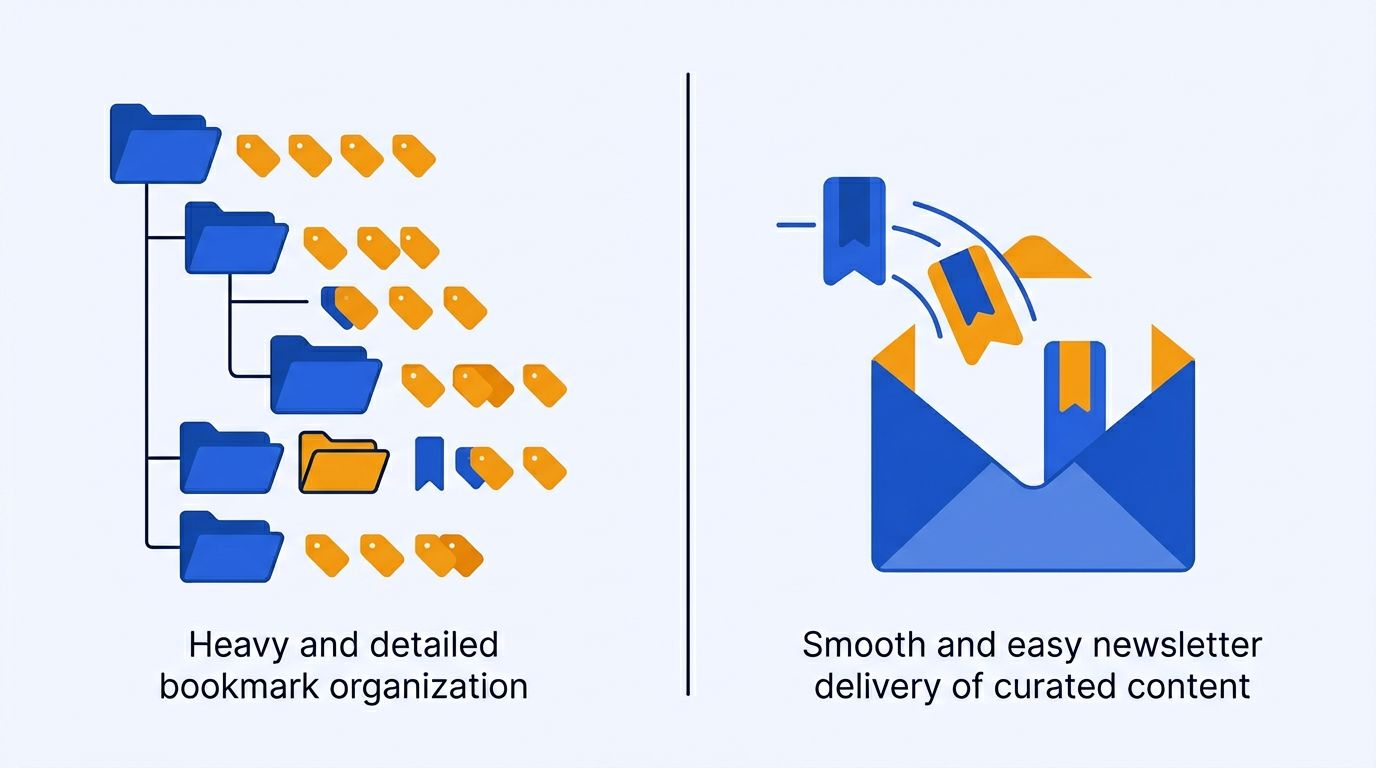
Quick Comparison
| Feature | Raindrop.io | Mailist |
|---|---|---|
| Primary purpose | Organize bookmarks | Read saved bookmarks |
| Free tier | Unlimited bookmarks | 500 unread links |
| Paid plan | $3/month (Pro) | $9/month (AI) |
| Organization | Collections, tags, nested folders | Tags |
| Visual previews | Yes — thumbnails for every bookmark | No |
| Reader view | No | No (opens original site) |
| Weekly email newsletter | No | Yes — unread links delivered weekly |
| AI summaries | No | Yes (paid plan) |
| Browser extensions | All major browsers | Chrome, Firefox |
| Mobile app | iOS, Android | Web (responsive) |
| Collaboration | Shared collections | Shareable newsletters |
| Full-text search | Yes (Pro) | No |
| Broken link detection | No | Yes |
| Offline access | No | No |
| Data export | HTML, CSV | Yes |
Organization: Raindrop.io Wins
If your primary need is keeping a large collection of bookmarks organized, Raindrop.io is the clear winner. It's built for exactly this purpose.
What Raindrop.io Does Well
Raindrop.io's organizational model is built around collections — visual folders that can be nested multiple levels deep. Each collection shows thumbnails of the bookmarks inside, making it easy to scan content at a glance.
- Nested collections — Create a hierarchy that matches how you think (e.g., Work → Client A → Research → Competitor Analysis)
- Tags — Cross-cutting labels that work alongside collections
- Visual layout options — Grid, list, headlines, or moodboard view
- Full-text search (Pro) — Search inside the content of saved pages, not just titles and URLs
- Duplicate detection (Pro) — Flags when you save the same page twice
- Bulk operations — Select and move, tag, or delete multiple bookmarks at once
What Mailist Offers
Mailist's organization is simpler: tags only. You can assign multiple tags to each bookmark, and filter your collection by tag. There are no nested folders or visual layouts.
This is intentional. Mailist isn't trying to be a filing cabinet for the internet — it's designed to move content through a pipeline from "saved" to "read." The organizational features serve that goal without adding complexity.
Mailist does have one organizational feature Raindrop.io lacks: automatic broken link detection. Over time, saved links die — the page gets removed, the domain expires, the URL changes. Mailist scans your collection and flags dead links so you can clean them out. Raindrop.io doesn't do this.
Actually Reading Your Saves: Mailist Wins
Here's where the fundamental difference between these tools becomes clear.
The Raindrop.io Experience
Raindrop.io is a "pull" tool. You save bookmarks throughout the week, and when you want to read something, you open Raindrop.io and browse your collections. The problem? You have to remember to do this. And when you open the app, you're faced with your entire collection — which can feel overwhelming rather than inviting.
Raindrop.io has no reminders, no daily digest, no mechanism to surface forgotten content. Your bookmarks sit patiently in their collections until you come looking for them. If you're the kind of person who regularly opens their bookmark manager to browse, this works fine. If you're not — and most people aren't — your collection grows silently while you forget about it.
The Mailist Experience
Mailist is a "push" tool. Once a week, it sends you an email containing a curated selection of random unread links from your collection. You don't have to open the app, remember to check anything, or carve out time for "bookmark browsing." The content comes to you.
This approach works because of how we already interact with email:
- You check email multiple times a day — your saved articles appear in a place you already are
- A weekly email with 5-10 links feels manageable, not overwhelming
- Random selection surfaces links you forgot about — including ones saved months ago
- Opening a link marks it as "read," gradually reducing your backlog
On the AI plan, each link in your newsletter comes with an AI-generated summary. You can scan the summaries and decide which articles deserve your full attention — a quick triage that respects your time.
Pricing Comparison
Raindrop.io Pricing
- Free — Unlimited bookmarks, collections, tags, basic features
- Pro ($3/month) — Full-text search, duplicate detection, permanent cloud backup, nested tags, no ads
Raindrop.io's free tier is one of the most generous in the bookmark management space. You can store unlimited bookmarks with full organizational features. The Pro plan is cheap and adds useful search capabilities.
Mailist Pricing
- Free — Up to 500 unread links, weekly newsletter, tags, Chrome/Firefox extensions, Pocket import, broken link detection
- Mailist AI ($9/month) — Unlimited unread links, AI-powered article summaries in your newsletter, all free features
Mailist's free tier has a 500 unread link limit. For casual bookmarkers who save a few articles a week, this is more than enough. If you save heavily and want AI summaries, the $9/month plan removes all limits.
Browser Extensions
Raindrop.io
Available for Chrome, Firefox, Safari, Edge, and Opera. The extension is feature-rich — you can choose a collection, add tags, edit the title and description, and save highlighted text, all from the popup. It also offers a mini-app mode that lets you browse your bookmarks without leaving the current page.
Mailist
Available for Chrome and Firefox. The extension follows a simpler model: click, optionally add tags, save. It also includes an AI article summarizer — you can generate a summary of the current page directly from the extension (on the paid plan). Fewer browsers supported, but the save flow is fast and friction-free.
Mobile Experience
Raindrop.io
Native iOS and Android apps that mirror the desktop experience. You can browse collections, search, and save new bookmarks from the share sheet. The mobile apps are well-designed and feel fully featured.
Mailist
Mailist's web app is responsive and works on mobile browsers, but there's no dedicated native app. The primary mobile experience is receiving and reading the weekly newsletter email — which works perfectly in any email client. Saving new links on mobile requires opening the web app in a browser.
Who Should Use Raindrop.io
- Researchers who collect large volumes of reference material and need strong organization
- Visual thinkers who prefer seeing thumbnails and moodboard-style layouts
- Teams that need to share bookmark collections collaboratively
- Power users who save 100+ bookmarks per month and need full-text search to find things
- Multi-browser users who need extensions across all platforms
Who Should Use Mailist
- Bookmark hoarders who save articles but never get around to reading them
- Busy professionals who want curated reading delivered to their inbox without effort
- Casual savers who bookmark 5-20 articles per week and want a simple system
- Email-centric people who live in their inbox and don't want another app to check
- Ex-Pocket users looking for a tool that goes beyond saving — one that actively helps them read
Can You Use Both?
Yes, and for some people this is the best approach. Use Raindrop.io as your long-term bookmark archive — the permanent library where you file away resources, tools, and references you might need later. Use Mailist specifically for articles and content you intend to read — let the weekly newsletter do the work of surfacing them.
The tools serve complementary purposes: Raindrop.io is your library, Mailist is your reading assistant.

Our Verdict
Choose Raindrop.io if your main problem is "I have too many bookmarks and can't find anything." Raindrop.io's organizational tools are the best in the category, and the $3/month Pro plan is a bargain for what you get.
Choose Mailist if your main problem is "I save articles but never read them." No other tool actively pushes your saved content to you. The weekly newsletter approach is simple, effective, and unique. Try it free.
For more options, check out our roundup of the 12 best bookmark manager apps or our read-later apps comparison.
Frequently Asked Questions
Is Raindrop.io a read-later app?
Raindrop.io is primarily a bookmark manager, not a read-later app. It excels at saving and organizing links with visual collections and tags, but it doesn't offer a reader view or any mechanism to remind you to read your saved content. For read-later functionality, tools like Mailist, Readwise Reader, or Instapaper are better suited.
Does Mailist have a mobile app?
Mailist doesn't have a native mobile app. Its web app is responsive and works in mobile browsers, and the weekly newsletter is received in any email client. Raindrop.io has native iOS and Android apps, so it offers a better mobile experience for browsing your collection on the go.
Can I import Raindrop.io bookmarks into Mailist?
You can export your Raindrop.io bookmarks as an HTML file and import that file into Mailist. Go to Raindrop.io Settings → Export → HTML, then import the file in Mailist's import settings.
Which is cheaper, Raindrop.io or Mailist?
Raindrop.io Pro costs $3/month. Mailist AI costs $9/month. However, both have capable free tiers. Raindrop.io's free tier offers unlimited bookmarks with basic features. Mailist's free tier supports 500 unread links with the weekly newsletter feature included. For many users, the free tiers of either tool are sufficient.
Which is better for teams?
Raindrop.io is better for teams. It offers shared collections where multiple people can save, organize, and browse bookmarks together. Mailist is designed as a personal tool — you can share your weekly newsletter publicly, but it's not built for team collaboration.
Can I use Raindrop.io and Mailist together?
Yes. Many users use Raindrop.io as their permanent bookmark archive for references, tools, and resources, and Mailist specifically for articles they intend to read. The tools complement each other well since they solve different problems.
Stop saving, start reading
Mailist turns your bookmarks into a weekly newsletter so you actually read what you save.
Start Reading for FreeFree forever · No credit card required